 Family Groceries
The shopping list the whole family shares
Family Groceries keeps your shopping lists, recipes and the week's meal plan in one place – and keeps every phone in the household up to date instantly.
Your list follows the store
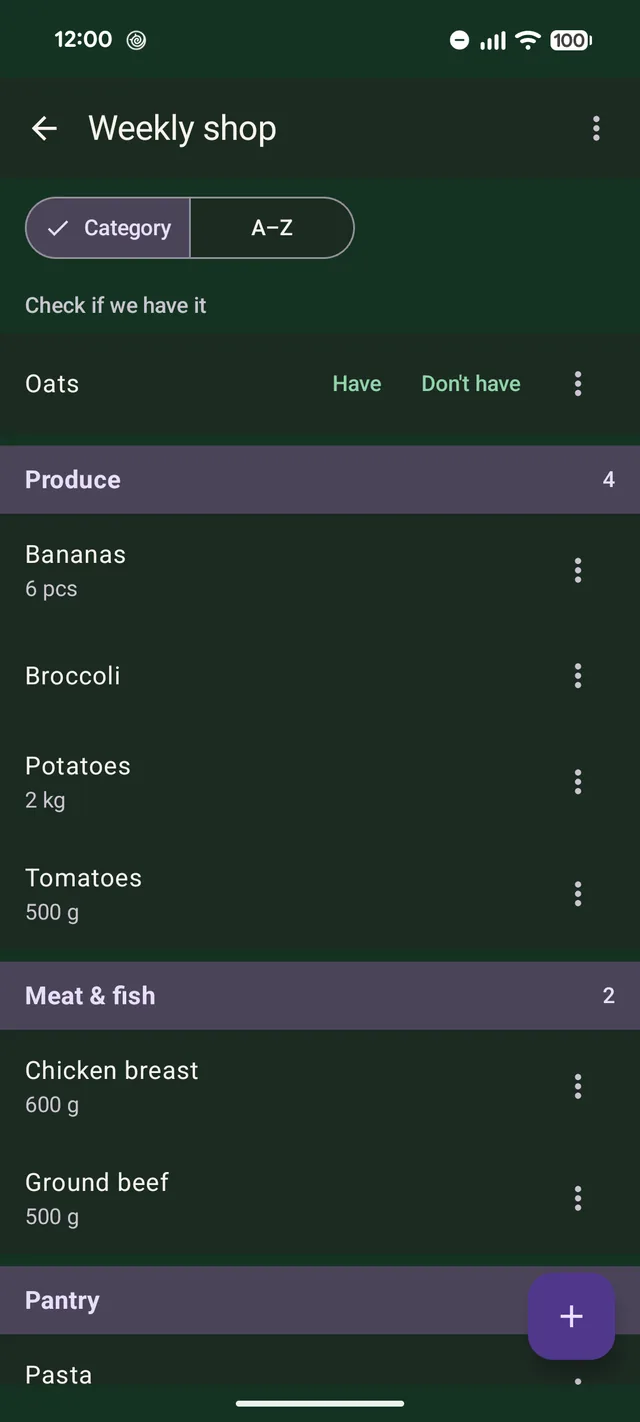
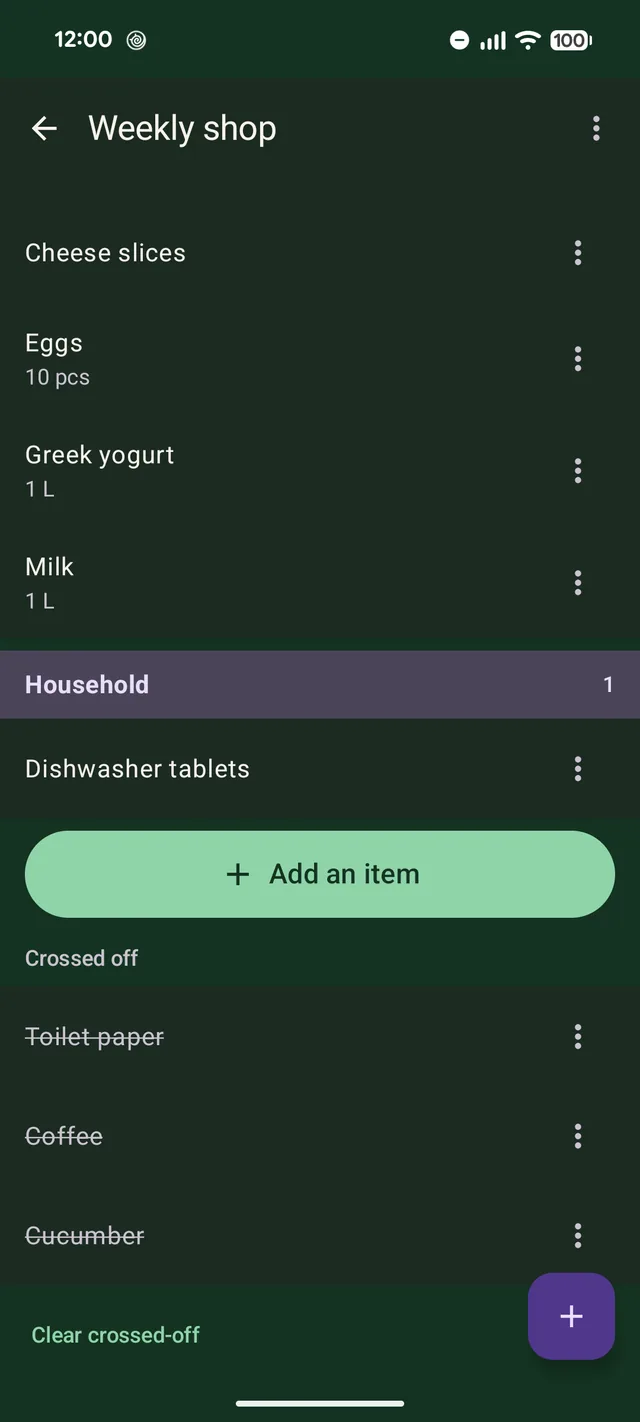
Items are sorted by the aisles in your store automatically – produce, meat and fish, dairy and so on – so you don't have to walk back and forth.
- Put the aisles in the order your store uses
- Move an item to another aisle, and the app remembers
- Check if we have it: mark items to check at home before you buy them
- What's in the basket is crossed off and collected at the bottom
Share with the whole family – live
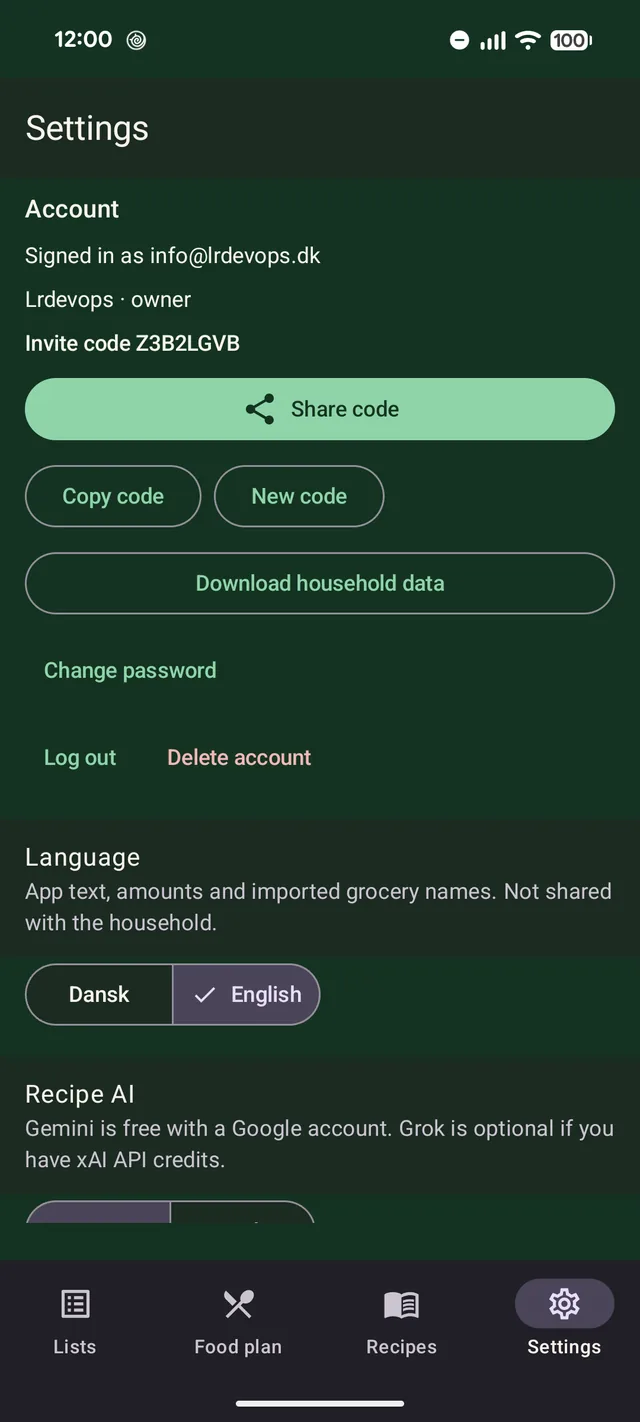
Create a household and send the invite code to the rest of the family. When someone adds or crosses off an item, everyone else sees it straight away.
- Everyone has their own account
- Works without a connection too – changes are sent when the phone is back online
- Send a list as plain text to anyone who doesn't have the app
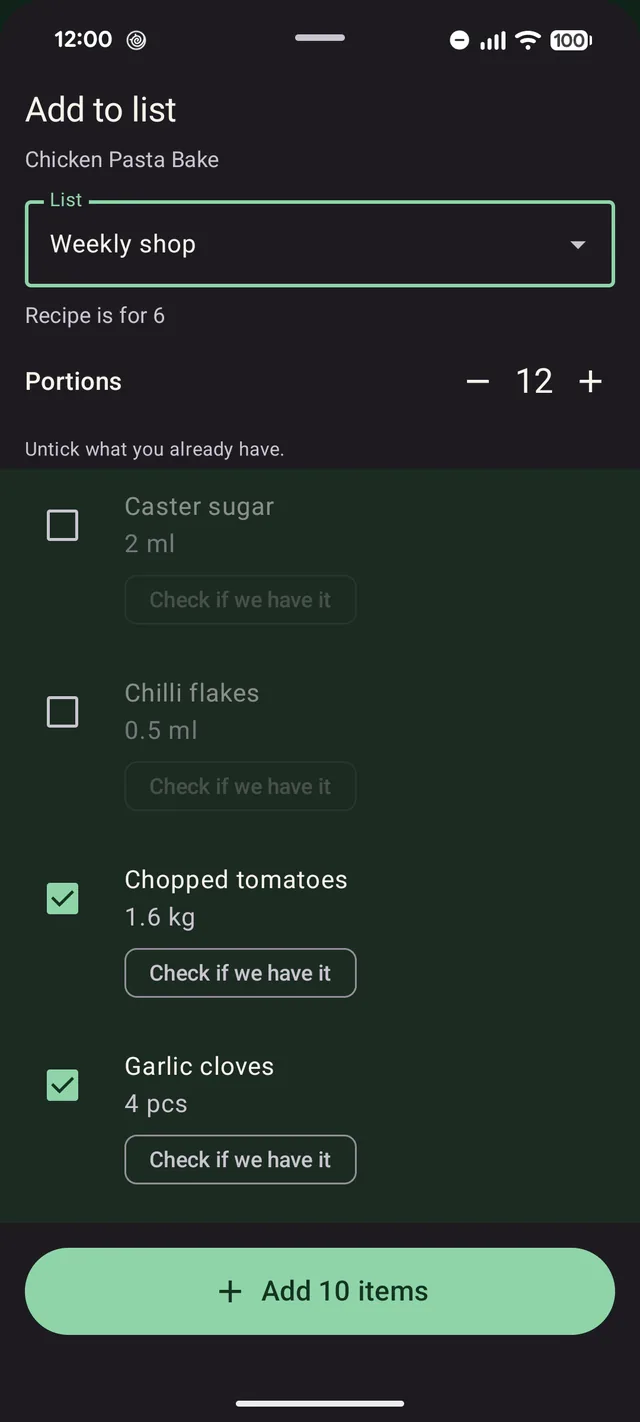
From recipe to shopping list
Add a recipe to your list with one tap. Amounts are scaled to the number of people you're cooking for, and you untick what you already have.
- If an item is already on the list, the amounts are added together
- Metric or imperial units – your choice
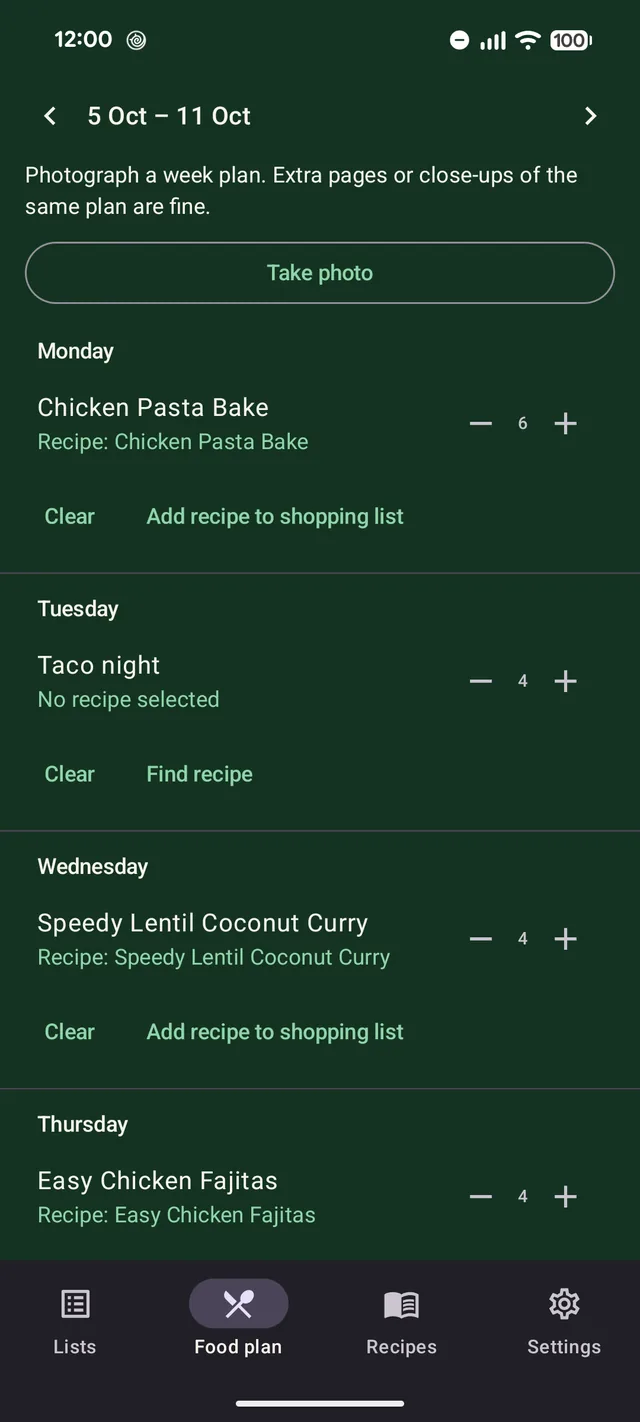
Plan the week's dinners
Put a dish on each day – from your own recipes, a suggestion, or just a name. When it's time to shop, add the week's recipes to your list.
- Take a photo of a week plan and have the days filled in
- Get suggestions from your own recipes or from AI
- Find a recipe for a dish that only has a name
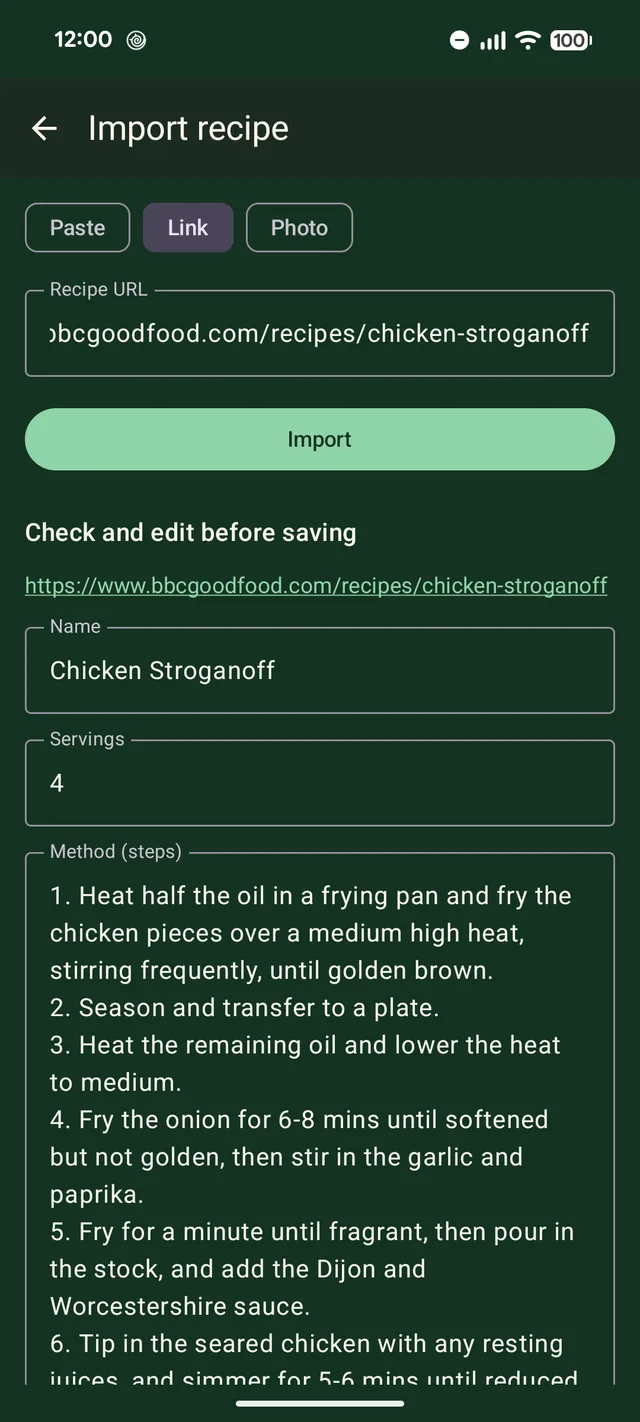
Import recipes from the web or your favourite cookbook
Paste a link or some text, or take a photo of a cookbook page. AI reads the recipe and turns it into ingredients and steps that you can check before saving.
- Uses your own Gemini key from Google, free with a Google account (Grok is optional)
- Grocery names come out in your language – even from recipes in another language
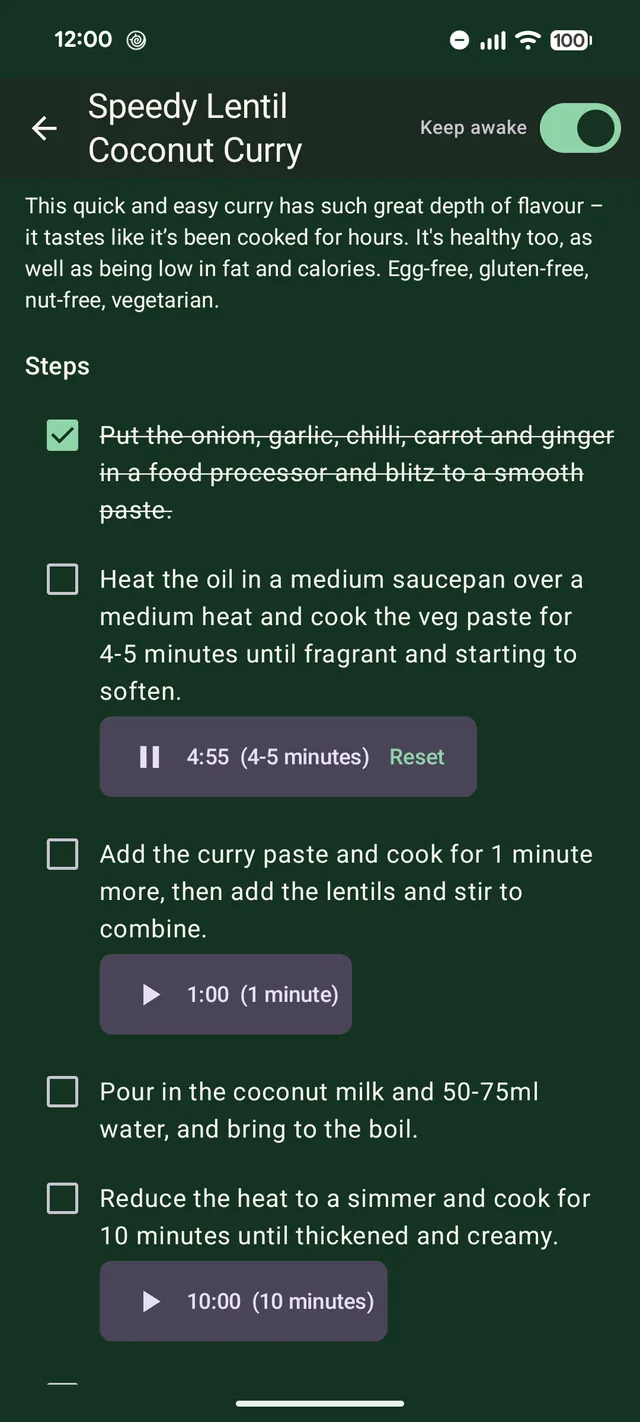
Cook step by step
Open a recipe in cooking view: tick off the steps as you go, and keep the screen awake.
- Times in the text, like “cook for 10 minutes”, become timers with one tap
- Timers ring even when the phone is locked
Lists for everything
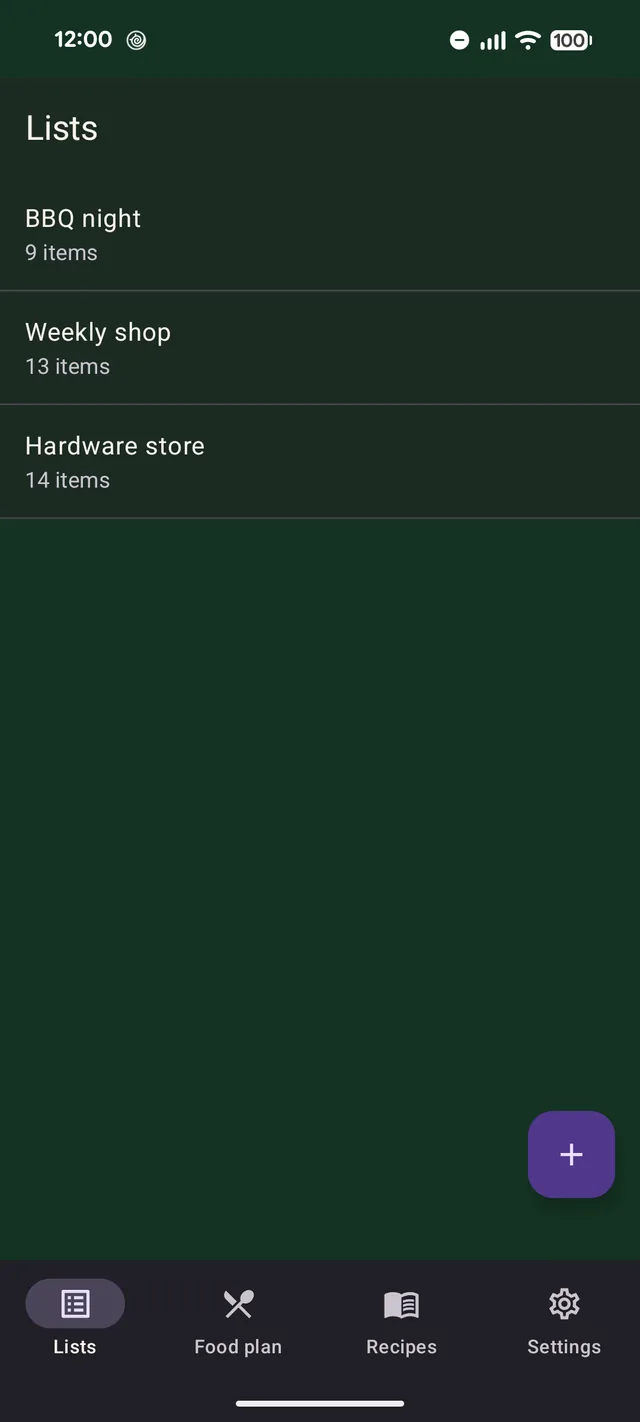
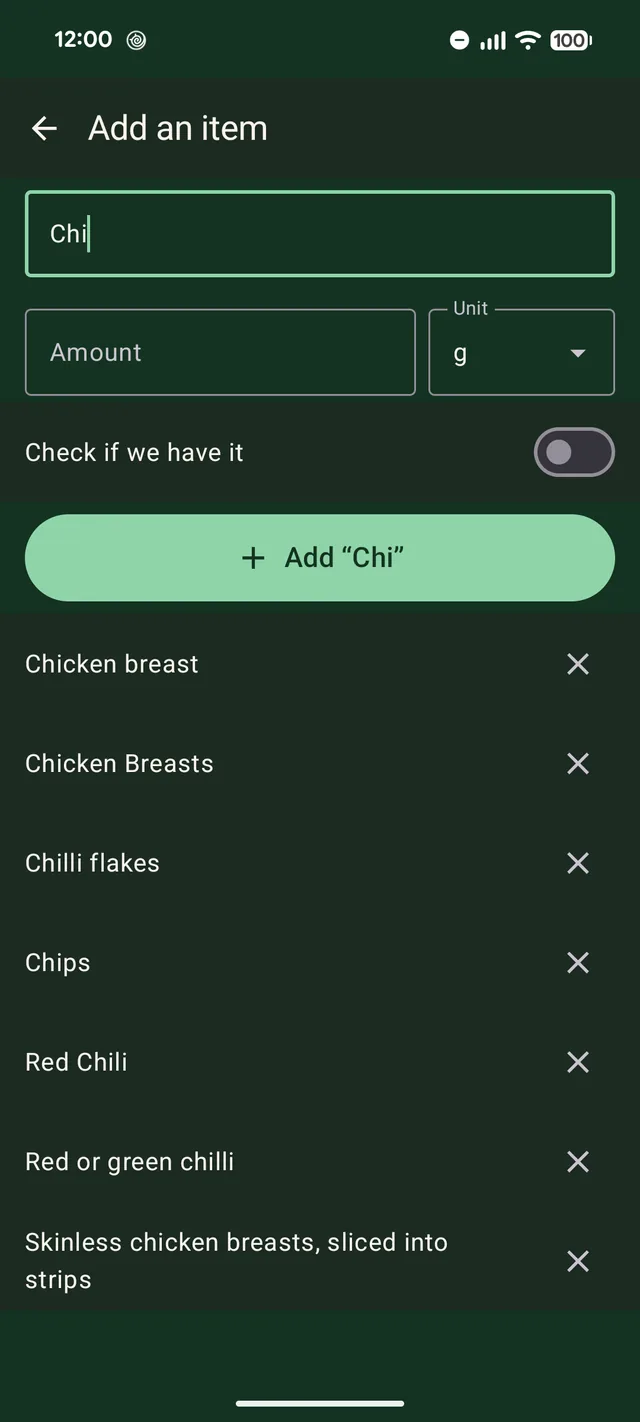
Have as many lists as you like – for everyday shopping, a party or the hardware store. Add new items quickly with suggestions from what you've bought before.
Good to know
No account needed
Use the app on your own without signing up. You only need an account to share.
Works offline
Everything lives on your phone, so your list works even in the supermarket basement.
English and Danish
Choose the language in the app. Amounts are shown in metric or imperial units.
No ads, no tracking
No ads and no analytics. Read more in the privacy policy.
Questions and answers
Do I need an account?
No. Lists, recipes and the meal plan work without an account. To share, each person creates an account with their email, and one of you creates the household.
How does the rest of the family join?
Whoever created the household makes an invite code under Settings → Account and shares it. The others enter the code in the app to join.
What do the AI features need?
A Google Gemini key, which is free with a Google account – or a paid xAI Grok key. You enter the key in the app under Settings, and it stays on your phone. AI is optional; the rest of the app works without it.
Is the meal plan shared too?
No. The meal plan stays on your phone. Lists, items, aisles and recipes are shared with the household.
I forgot my password
Tap Forgot password? under log in in Settings. You'll get a code by email and choose a new password.
How do I delete my account?
In the app under Settings → Account → Delete account. What happens to your data is described in the privacy policy.